UI & UX Design
Stylish good looks are important, but an easy-to-use interface is essential.
Don’t lose potential customers to confusing layouts and content overwhelm, discover how we start from the basics to create a website that users want to engage with.
UI & UX Design
Stylish good looks are important, but an easy-to-use interface is essential.
Don’t lose potential customers to confusing layouts and content overwhelm, discover how we start from the basics to create a website that users want to engage with.Let's connect
UI / UX Design
Why is effective UX and UI Design so essential?
Users want to know where to go and what to click on...
Let's break this down further
Long experience in the website game shows that users need to know what to do and where to click the moment they visit your site and start interacting with it. Confusing layouts and overwhelming displays can lead to information overload and put off potential customers.
Our design process begins by focusing how your website should look, feel, and function, ensuring users can achieve their goals without friction. This can directly impact your bottom line, because strong UX and UI design result in reduced bounce rates and higher conversion rates.
Well-considered designs not only look enticing and optimise the overall web development process, they ensure your final product meets your goals. Our design process covers everything from user research and wireframes to visual systems, responsive design and accessibility, delivering a practical, tested strategy for a high-performing site.
What UX and design includes
Most modern UX design and UI design engagements cover:
- User experience (UX) strategy: goals, audience needs, user journeys, and success metrics
- Information architecture (IA): sitemap, content hierarchy, navigation logic
- Wireframes: layout planning and key user flows
- UI design: visual system, page designs, interface patterns
- Design systems: reusable components, tokens, typography, spacing rules
- Responsive design: desktop, tablet, mobile behaviours
- Interaction design: motion, transitions, micro-interactions
Prototyping: clickable prototypes for validation
Why it matters for SEO and AEO
Good UX improves engagement metrics that often correlate with SEO performance: users stay longer, visit more pages, and convert more reliably. For AEO (answer engine optimization) and AI search readiness, UX and design also helps present content clearly and consistently, making it easier for humans and machines to interpret your value proposition, services, and proof points.
UX & UI Design Q&A
Q: What’s the difference between UX and UI design?
A: UX (User Experience) design focuses on structure, flows, and usability. UI (User Interface) design focuses on the visual interface, i.e. layout, typography, colours and components.
Q: Do I need UX design for a simple website?
A: Yes, especially for service pages, lead generation and conversion funnels. Even “simple” sites benefit from clear information architecture, scannable layout and strong calls to action.
Q: What does a UX and UI design process look like?
A: Typically: discovery → sitemap/IA → wireframes → UI design → prototyping → testing → iteration → developer handover.

People also ask...
What makes a website user-friendly?
A user-friendly website is easy to navigate, loads quickly, and clearly guides visitors toward the information or actions they need. Effective UX design combines intuitive navigation, clear content hierarchy, mobile responsiveness, and accessibility to create a seamless experience across devices.
How do UX designers improve website conversions?
UX designers improve conversions by simplifying user journeys, reducing friction in key interactions, and making calls-to-action clear and accessible. This often involves usability testing, data analysis, and iterative design improvements.
Some more topics to discover when it comes to UX and design:
Wireframes (Key Templates + Flows)
UX wireframes are low-to-mid fidelity layouts that define the structure of a website or web app before visual design begins. Wireframing is where we decide what content appears on each page, how information is prioritised, and how users move through key flows—like contacting sales, booking a demo, requesting a quote, or completing onboarding.
Wireframes are one of the most cost-effective steps in UX design because they reduce rework later in UI design and development.
UX Wireframes: Q&A
Q: What’s the difference between a wireframe and a design?
A: A wireframe shows layout and structure without final styling. A design (UI) includes colours, typography, imagery, and polished visuals.
Q: How many wireframes do I need for a website?
A: Usually 5–10 key templates cover most marketing websites. Larger sites may need more templates plus flow diagrams.
Q: Are wireframes necessary if we already have content?
A: Yes. Wireframes help prioritise content and create a clear narrative and conversion path across templates.

UI Design (Visual System + Page Designs)
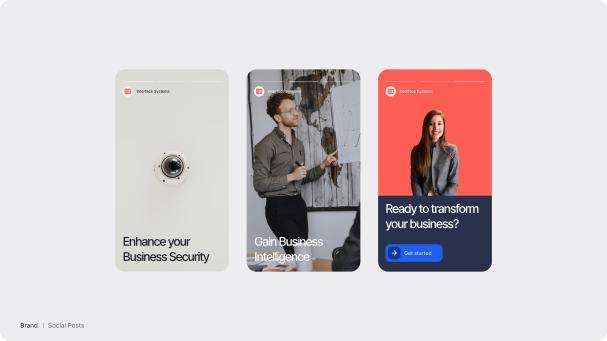
UI design is the stage where your website or application becomes visually defined: colours, typography, spacing, layout rules, component styling, imagery direction, and polished page designs. Strong UI design is not decoration—it’s a usability tool. It improves readability, builds trust, supports conversion, and creates consistency across your brand touchpoints.
UI design typically includes both a visual system (the rules) and page designs (the application of those rules across templates.
UI Design: Q&A
Q: What is a high-fidelity UI design?
A: A detailed design that looks close to the final website/app, including branding, typography, spacing, and components.
Q: Do you design in Figma?
A: Yes. Most modern UI design is done in Figma because it supports components, variants, prototyping, and developer handoff.
Q: How does UI design affect conversions?
A: Clear hierarchy, readable typography, consistent CTAs, and reduced cognitive load often lead to higher conversion rates.
Design Systems (Components, Typography, Spacing, Tokens)
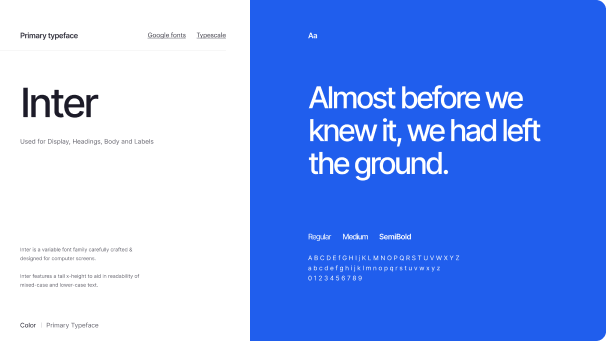
A design system is a reusable set of UI rules for typography (font and type scale), spacing and components (such as buttons and menus). This ensures consistency across a website, especially as it grows. Think of it as the “source of truth” for how your interface is built and styled. Good design systems reduce build time, speed up iterations, and keep UI quality high across multiple pages, teams, and releases.
Design systems matter for both marketing sites and web applications—particularly where multiple templates and components repeat.
Design Systems: Q&A
Q: What’s the difference between a style guide and a design system?
A: A style guide is visual rules. A design system includes rules plus reusable components and patterns that scale across pages and products.
Q: Do small websites need a design system?
A: Even a “light” design system helps. A component library for headings, CTAs, cards, and forms prevents inconsistency and speeds up development.
Q: What are design tokens in simple terms?
A: Tokens are standardised naming for design values—so “primary button colour” isn’t guessed, it’s defined and reused everywhere.
Responsive Design (Desktop, Tablet, Mobile)
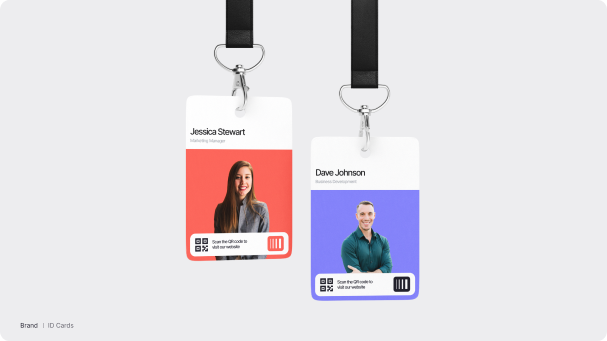
Responsive design ensures your website looks and works correctly across screen sizes, such as desktop, tablet, and mobile. It’s not only about rearranging layout; it’s about making sure interactions, navigation, content hierarchy and performance remain strong on every device.
For most industries, mobile traffic is significant, and mobile UX often determines whether a visitor stays, reads, and converts.
Responsive Design: Q&A
Q: Do we need to design tablet layouts?
A: Whilst tablet is a distinct experience, especially for landscape orientation and hybrid navigation patterns, we generally employ an inbuilt flow-down process during the development phase that reflows the layouts to tablet automatically.
Q: Is responsive design the same as a mobile site?
A: No. Responsive design adapts one site across screen sizes. A separate mobile site is a different implementation and usually not recommended.
Q: How does responsive design affect SEO?
A: Search engines prioritize mobile usability and performance. Poor mobile UX can increase bounce rates and reduce engagement.
Interaction Design (Animations, Transitions, Micro-interactions)
Interaction design is how your interface behaves when users engage with it: clicks, taps, scrolling, loading states, feedback messages and motion. It includes animations, transitions, and micro-interactions that make a product feel intuitive and polished, without distracting users or slowing down performance.
For modern web design, interaction design is often the difference between a site that feels “premium” and one that feels unfinished.
Interaction Design: Q&A
Q: Do animations improve conversion rates?
A: They can, when they clarify actions, reduce uncertainty, and provide feedback. Overdone animation can harm conversions.
Q: Are micro-interactions worth the effort?
A: Yes. They improve perceived quality and reduce user confusion, especially for forms and navigation.
Q: Can interaction design slow down a site?
A: It can, if not implemented correctly. Good interaction design balances motion with performance and accessibility.
Want a website that looks good and functions perfectly?
Following sound principles of UX design and a legacy of experience, we design and build mobile-first websites that elevate your brand, grow your traffic and deliver results.